


Daily holiday posts for your Discord server.
Bring daily holiday posts, random picks, and fun facts into your Discord server. Free to add, premium for advanced scheduling and commands.
What this Discord holiday bot does
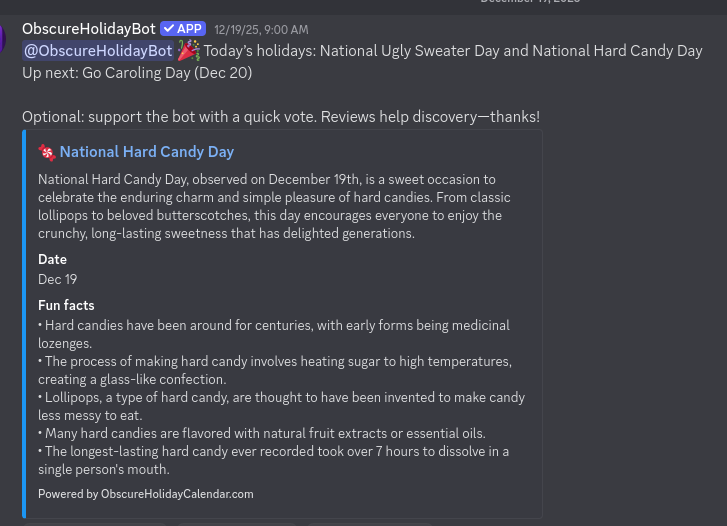
Show today’s holiday or any date (MM-DD) with emoji, description, and a link to your site.
Find holidays by keyword (e.g., “bacon day”) or let the bot surprise your community.
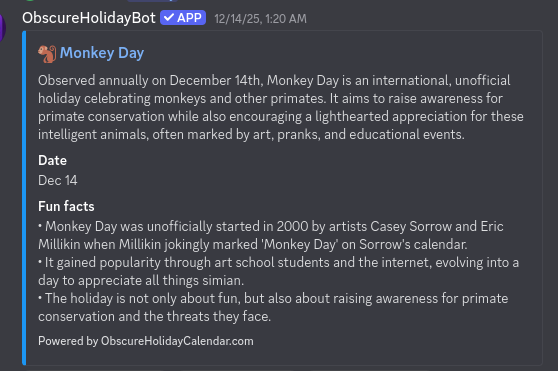
Quick fun facts pulled from your holiday library to keep chats lively.
Free tier posts once daily at 00:00 UTC; premium adds multiple channels, timezone/hour, and skip-weekends.
How it works
Invite the bot
Click “Invite to Discord” and approve Send Messages + Embed Links.
Pick a channel
Choose where daily holidays should post.
Post daily holidays
Try /today or let the bot auto-post every day.
Discord bot preview screenshots

Discord holiday bot FAQ
Yes. You can add the Discord holiday bot for free. Premium adds multiple channels, advanced scheduling, and premium commands.
Send Messages and Embed Links are required so holiday cards and links render correctly.
Yes. The bot can auto-post daily holidays to a channel you choose (free tier posts once daily at 00:00 UTC).
Yes. The bot posts to the channel you select, with premium control over time, timezone, and multiple channels.
Premium Discord bot features and upgrades
Premium unlocks /date, /search, /random, /facts, /tomorrow, /upcoming, /week, multiple daily channels, custom timezone/hour, branding toggle, and advanced scheduling.
Upgrade and cancel from Discord
Run /upgrade in your Discord server to start checkout and unlock premium features.
Run /manage in your Discord server to open the billing portal and cancel.