


Daily holiday posts for your Slack workspace.
Obscure Holiday Calendar delivers a fun holiday every day, plus quick slash commands for /today, /date, /search, and more.
Slack bot highlights
Show today’s holiday or any date (MM-DD) with emoji, a short description, and a link to your site.
Find holidays by keyword or let the bot surprise your team.
Quick fun facts pulled from your holiday library to keep chats lively.
Free tier posts once daily at 00:00 UTC; premium adds timezone/hour, skip weekends, and holiday choice.
How it works
Install the bot
Add the app to your workspace and authorize the Slack permissions.
Run /setup
Pick a channel, set a time, and decide which holiday to post.
Share daily holidays
Automatic posts plus slash commands keep the team in the loop.
Preview in Slack
See how daily holiday posts and fun facts look inside your channels.
 Today’s holiday
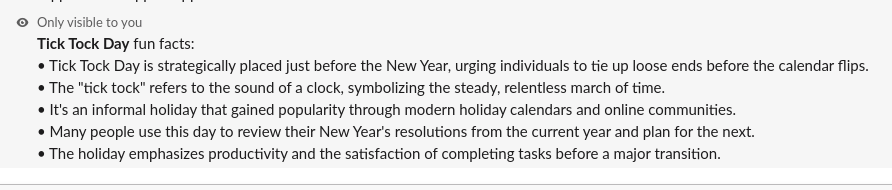 Fun facts
FAQ
Why didn’t the scheduled post show up?
Make sure the bot is invited to the target channel (e.g., /invite @ObscureHolidayBot). Slack won’t post to channels the bot isn’t a member of.